Apps built with HQTUI
Nine programs people actually run. They exist partly to keep the library honest: a real application finds the gaps a widget gallery does not, and several of these have already changed HQTUI — styled spans, collapsed borders and the braille metrics in these very screenshots all came from building one of them.
Every screenshot is rendered by HQTUI itself and captured at 2x — the same pipeline as the demo shots, so what you see is the frame the terminal draws.
Requests are .http files you commit, so they diff and review with the code they belong to. {{VARS}} resolve from a gitignored .env, so the file holds the template and the secret stays on your machine. The response pane shows the whole exchange: status, timing, size, headers and a highlighted body.
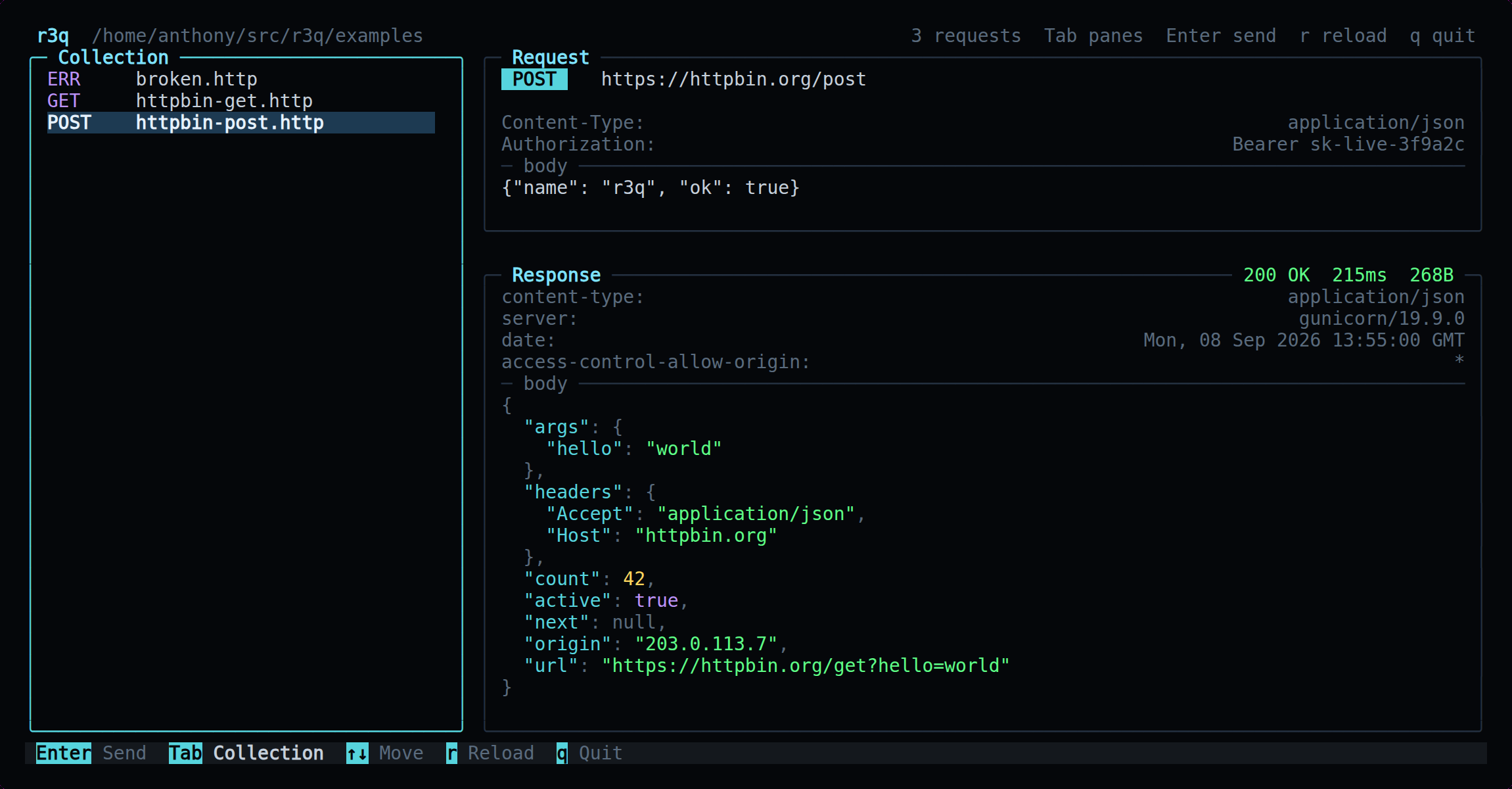
bunx r3q ~/api
What it found: The JSON highlighting needed more than one colour on a line, which the library could not do. That became styled spans in 0.3.0.
Files, branches and log down the left; the diff for whatever is selected on the right. Changed lines emphasise the words that actually differ, rather than turning the whole line green. Reads git through porcelain formats with -z, because parsing output meant for humans is how a TUI corrupts a working tree.
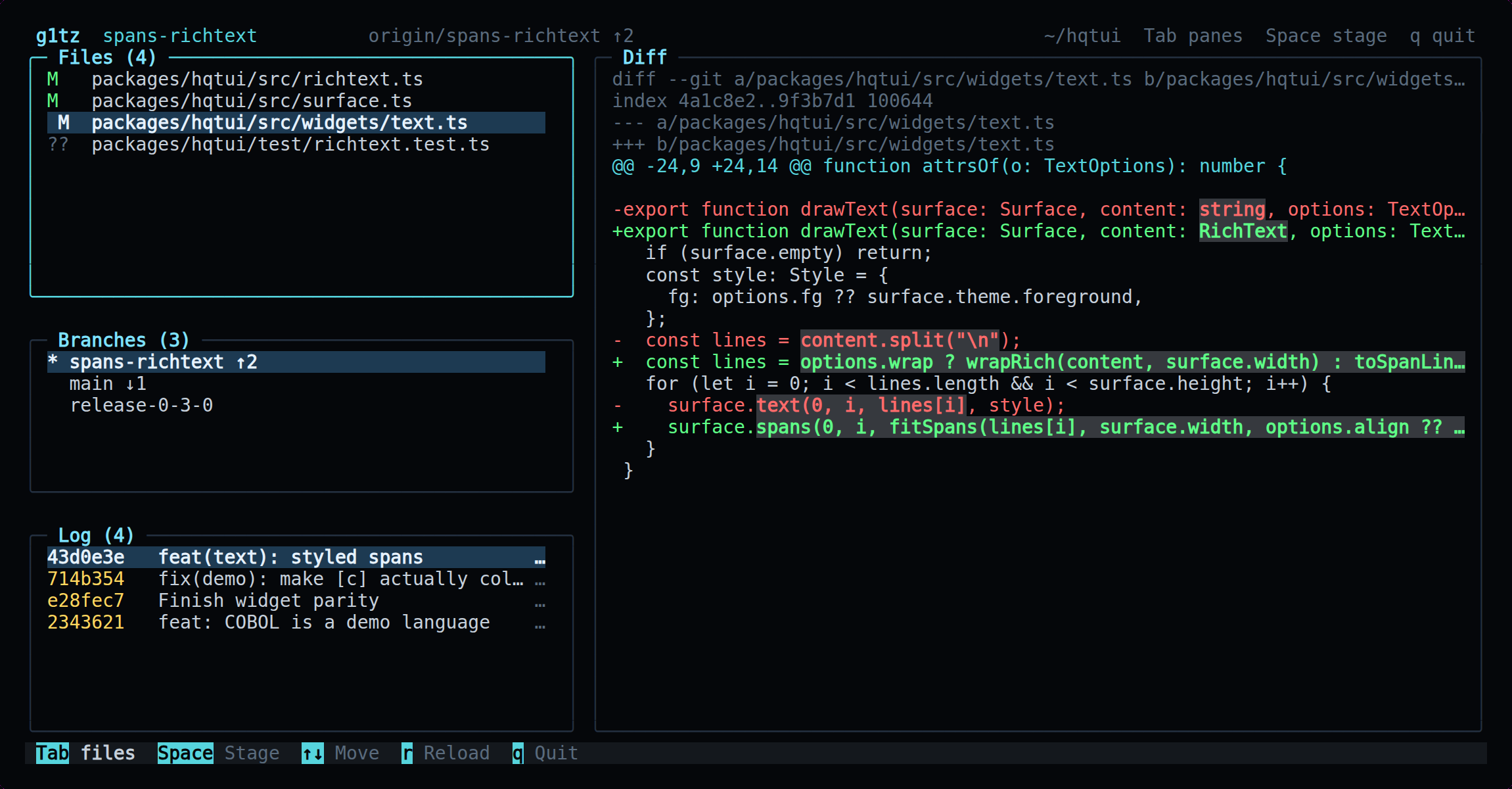
bunx g1tz
What it found: Word-level diff highlighting is the same span work as r3q, from the opposite direction: emphasis inside a line that already has a colour.
One decode feeds both the speakers and the display: ffmpeg writes raw samples to a pipe, nixamp reads every one on its way past, runs an FFT over it, and hands the same bytes to the output. Bands are logarithmic and scaled in decibels, because hearing is. Bars rise instantly and fall gradually, with a peak marker that sinks.
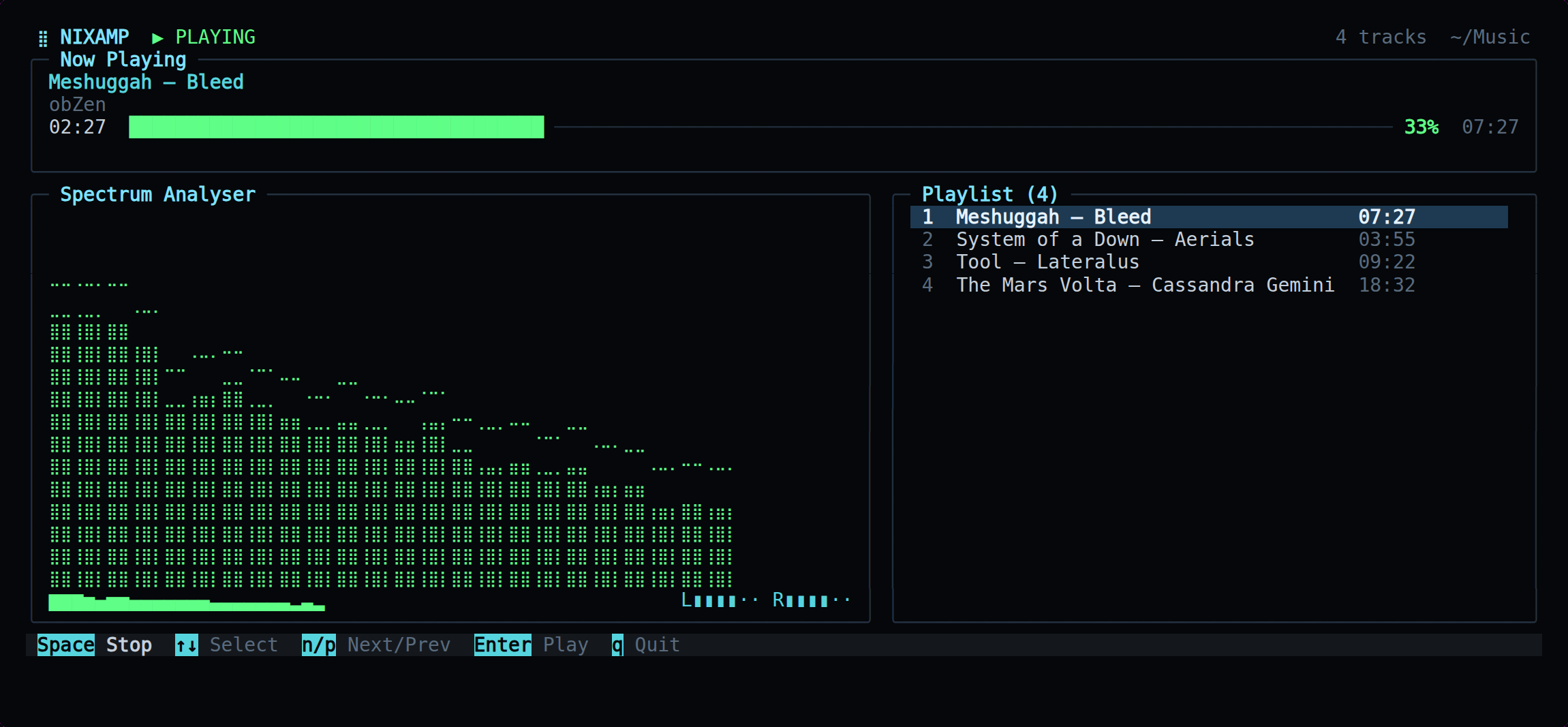
bunx nixamp ~/Music
What it found: The analyser is drawn on the braille canvas — four vertical pixels per character cell, which is why the bars move smoothly instead of stepping through eight block glyphs.
Local on one side, an SSH host on the other, and a transfer panel that shows the plan before it runs and every path as it lands. rsync does the work; the interface exists so you can see what it is about to do.
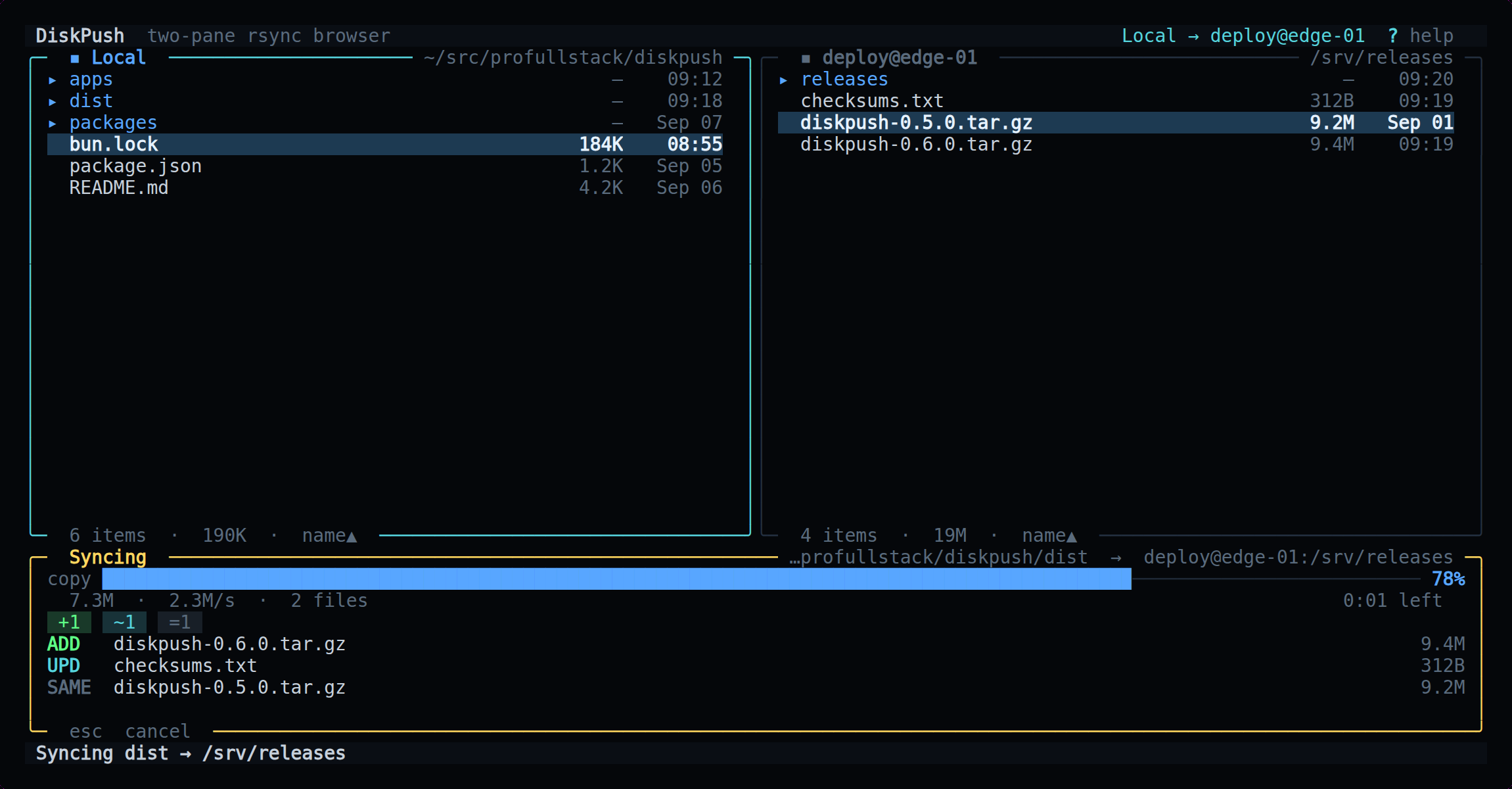
bunx diskpush
What it found: The transfer panel updates several times a second against a full file listing, which is where a renderer that diffs frames stops being an optimisation and starts being the reason it is usable.
Modules, a live event feed, top threats and a severity breakdown, fed by a daemon over a unix socket. When no daemon is running it says so and tells you how to start one, rather than filling the screen with invented attacks.
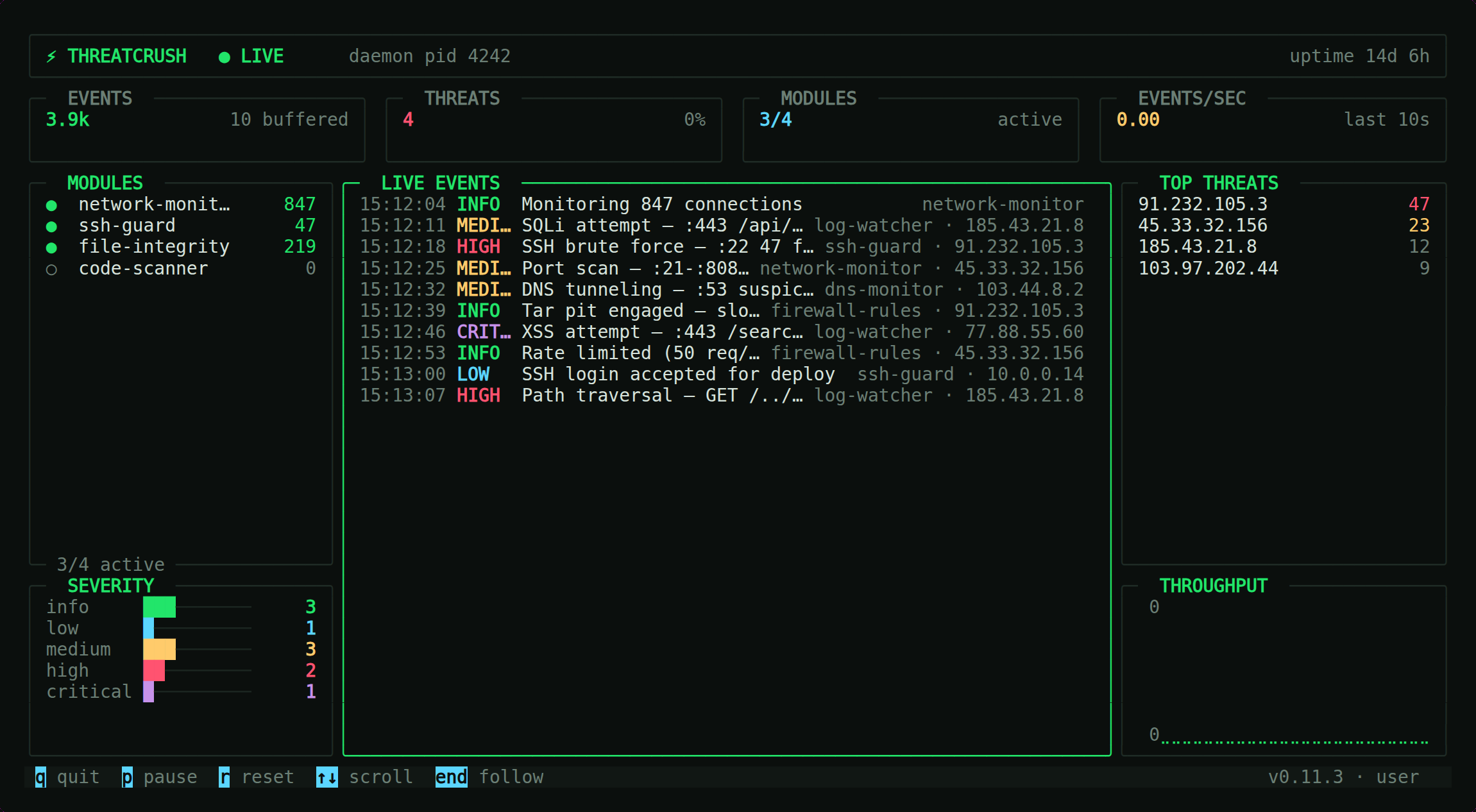
threatcrush tui
What it found: Rendering to a buffer made three header and truncation defects into ordinary failing tests. They had been invisible because the old build wrote escape codes straight to stdout.
Earnings, bank position and pipeline across seven screens, with a live payment feed over server-sent events. Bank syncs are a keypress, never automatic — the bridge allows about 24 pulls a day.
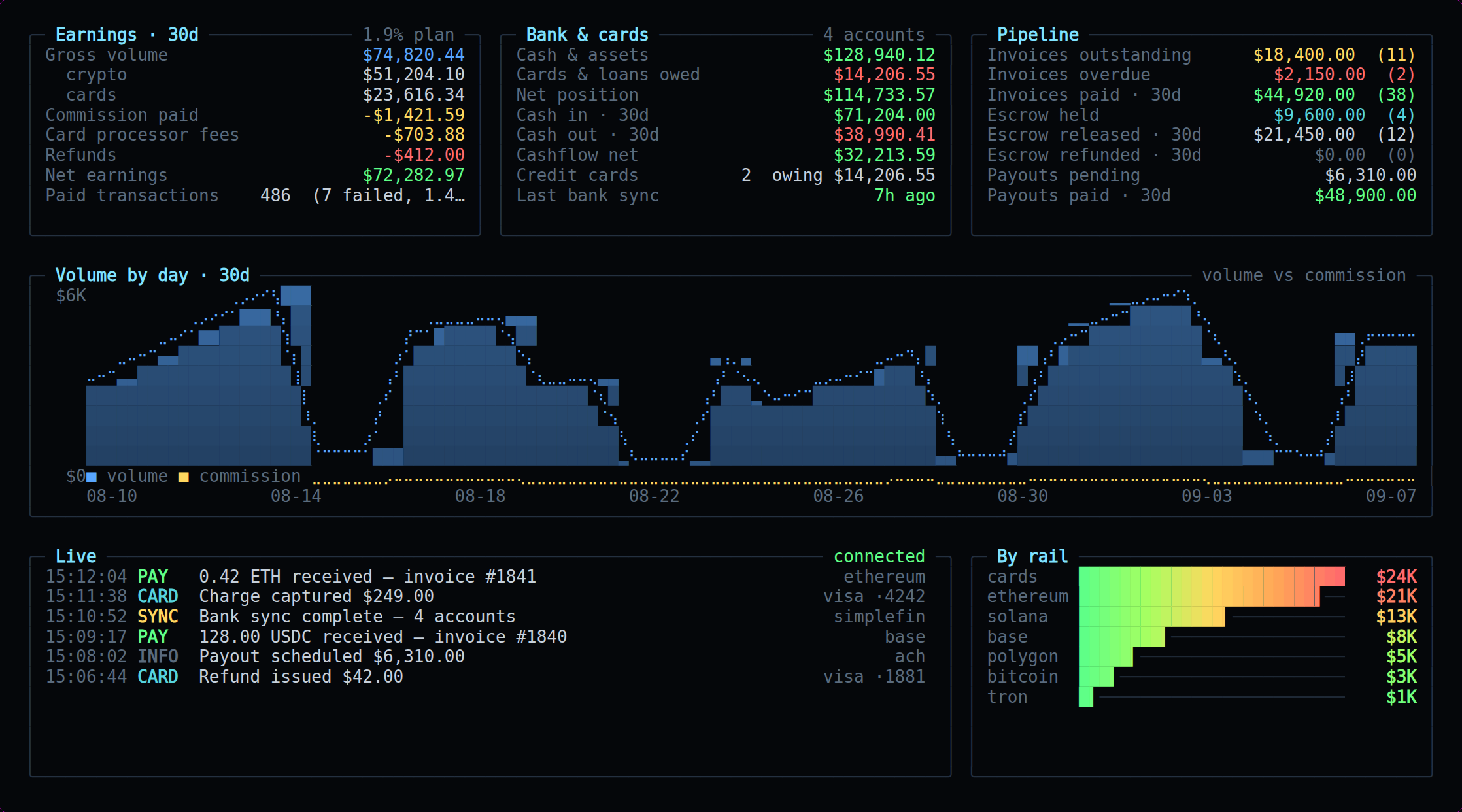
coinpay finances
What it found: Every figure here is a fixture. It is the one app on this page whose real screen cannot be published, which is its own kind of design constraint.
Compose in the terminal and publish to every network you have connected, with per-network character counts and thread splitting shown as you type. Credentials live in an encrypted vault the interface never reads.
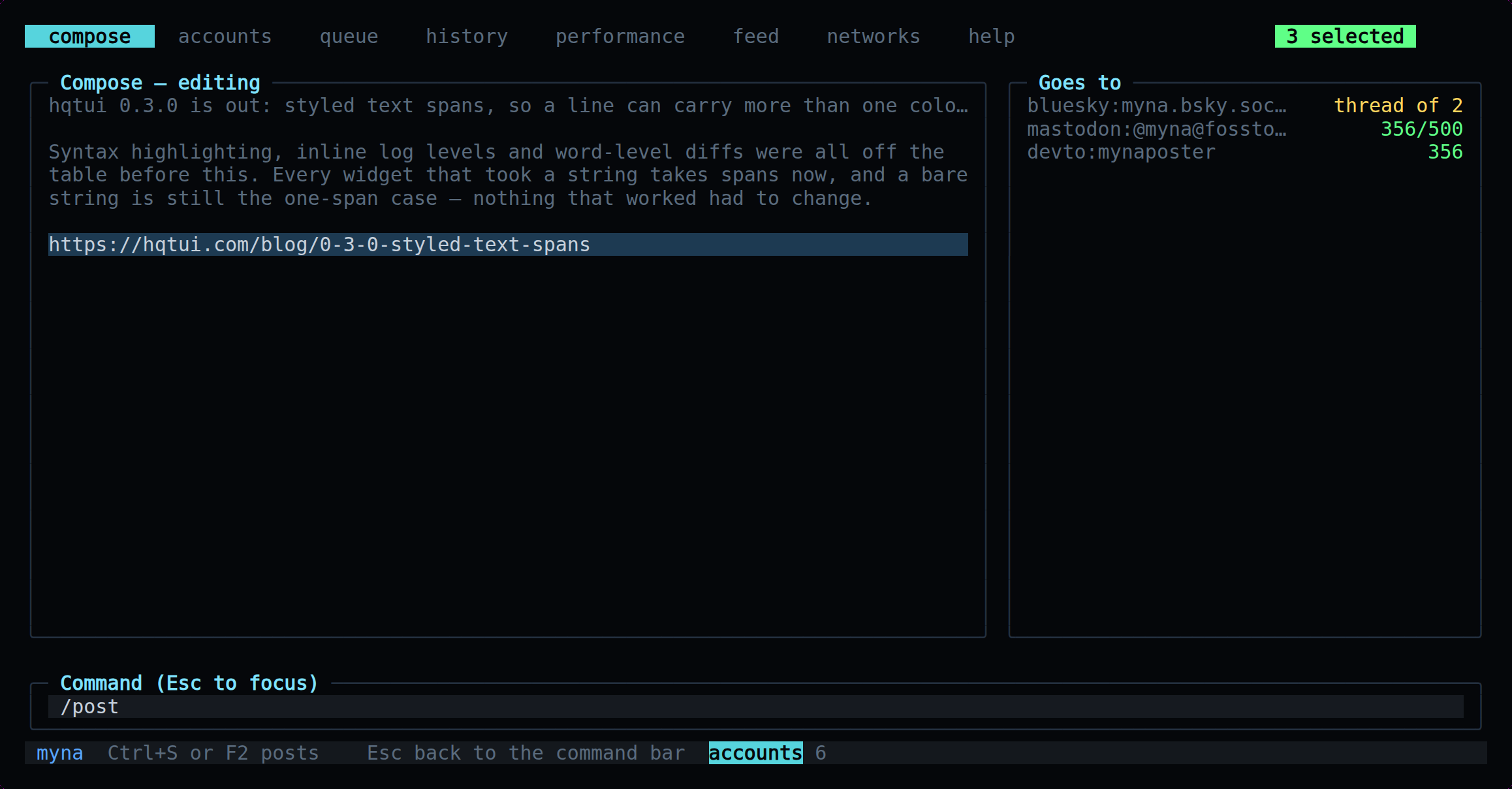
bunx myna
What it found: The screen had to be lifted out of the app loop to be captured at all. That refactor is what made its layout testable, which it had never been.
Which vaults exist, what their secrets are called, who can decrypt them and what changed. It never fetches a decryption key and has no keybinding that would: a value that can appear on screen can appear in a screen share.
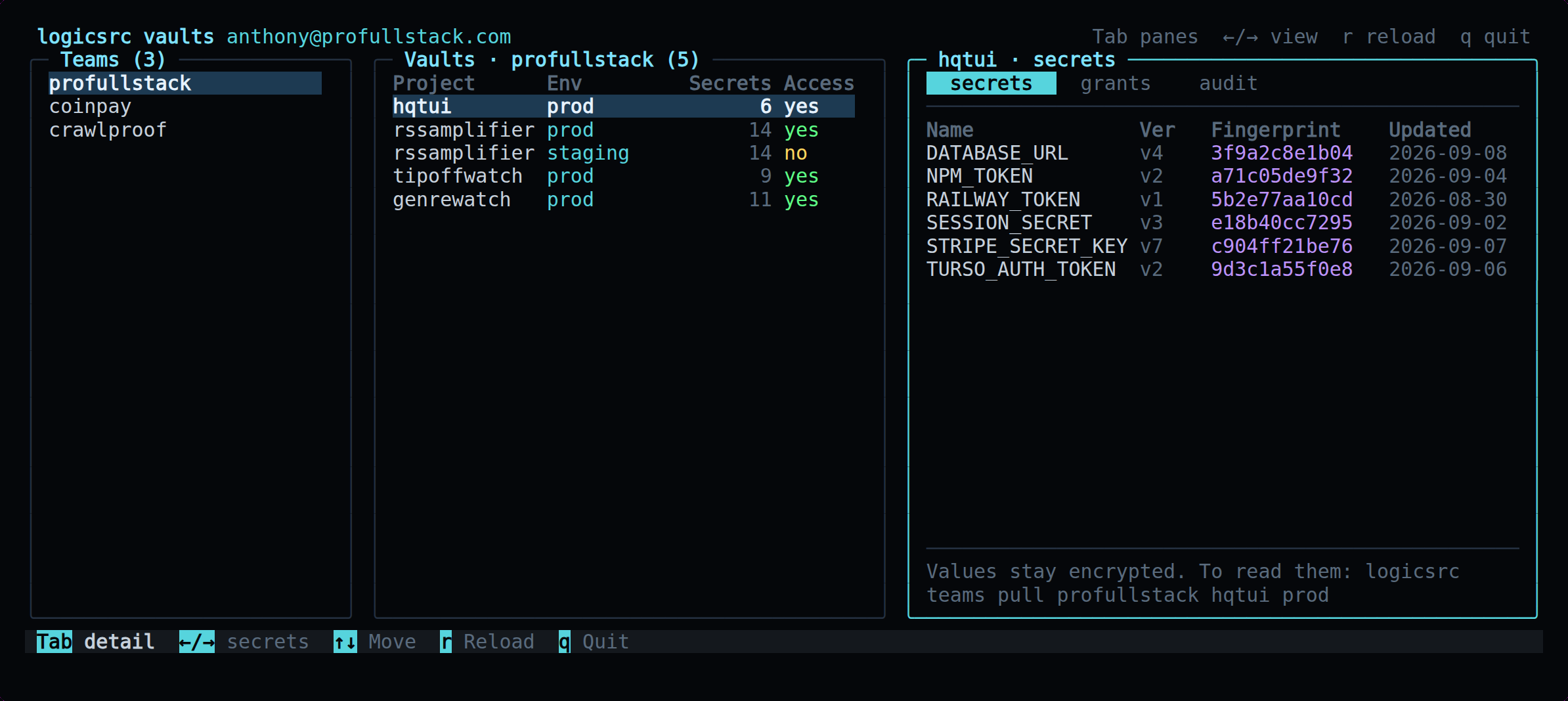
logicsrc teams tui
What it found: Being metadata-only is why this is the one screenshot here taken from something close to a real shape without redaction.
Forums, topics, threads, search and notifications against any tsbb board. Unread, solved and locked are glyphs in the margin rather than colours alone, so the list still reads on a terminal with no colour at all.
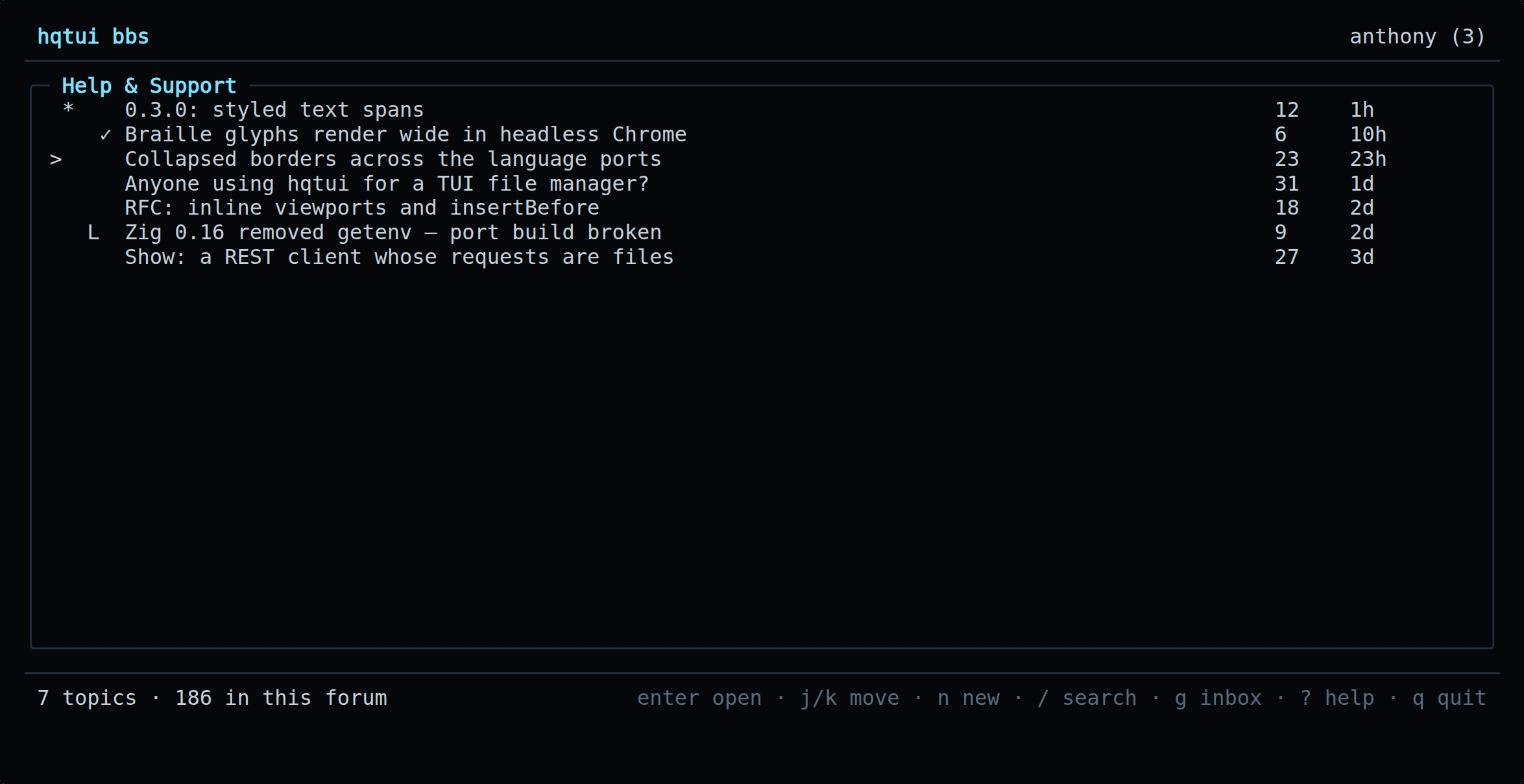
bunx tsbb
What it found: Its views were pure functions of state from the start, which is why the whole client is asserted on as text rather than described in a test.
Built something?
Open a pull request adding a scripts/showcase.ts to your repository that exports the frames you want captured, and a section here. The capture script takes application directories as arguments, so nothing about your layout has to be committed to this one.
bun apps/web/scripts/app-shots.ts ~/src/your-app